PSA: You'll Have to Visit an Apple Store If You Forget Your Vision Pro Passcode

Apple Vision Pro owners who forget the passcode they set will need to take the device to an Apple retail location to get it reset, reports Bloomberg's Mark Gurman. There is apparently no on-device way to reset a Vision Pro passcode if it is forgotten.
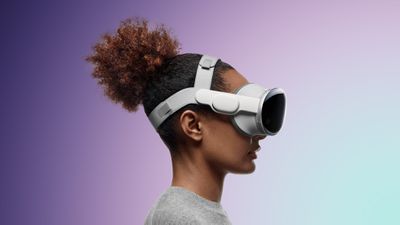
Apple Vision Pro Dual Loop Band Purple Feature 2
By default, the Vision Pro asks for a six-digit passcode when it is being set up, which must be entered twice. Customers can opt for a longer or shorter passcode. Optic ID can be used in lieu of a passcode, but it works like Face ID or Touch ID, and the passcode is required after a restart and in certain other situations.

Customers who have forgotten their Vision Pro passcodes have been told by Apple that they will need to visit a retail store for a fix or will need to ship the headset to Apple if there isn't a nearby store. Like Apple's iOS devices, the incorrect passcode cannot be entered too many times or the device will be disabled, with a waiting period before a passcode can be entered again. Removing the passcode requires erasing all content on the Vision Pro.

The iPhone and iPad also must be erased to get rid of a passcode, but it is a process that can be done at home with a Mac or PC. The Apple Watch, which cannot connect to a Mac or PC, can be reset on the device itself using the Digital Crown or on a connected ‌iPhone‌.

There is an erase content setting on the Vision Pro, but there is no way to get into the reset mode using a combination of button presses. Erasing Vision Pro can only be done through the Settings app.

Customers who have the $300 Developer Strap may be able to wipe the device from a Mac, but most users will not be able to get this accessory as it is limited to registered developers in the United States.

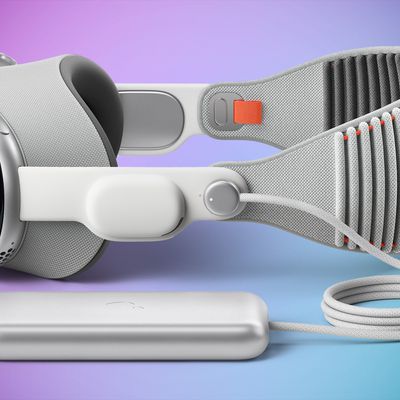
Related Roundup: Apple Vision Pro
Buyer's Guide: Vision Pro (Buy Now)
Related Forum: Apple Vision Pro

Popular Stories

iOS 26

iOS 26.4 and iOS 27 Features Revealed in New Leak

Friday December 12, 2025 10:56 am PST by
Macworld's Filipe Espósito today revealed a handful of features that Apple is allegedly planning for iOS 26.4, iOS 27, and even iOS 28. The report said the features are referenced within the code for a leaked internal build of iOS 26 that is not meant to be seen by the public. However, it appears that Espósito and/or his sources managed to gain access to it, providing us with a sneak peek...
iOS 26

iOS 26.2 Coming Soon With These 8 New Features on Your iPhone

Thursday December 11, 2025 8:49 am PST by
Apple seeded the second iOS 26.2 Release Candidate to developers earlier this week, meaning the update will be released to the general public very soon. Apple confirmed iOS 26.2 would be released in December, but it did not provide a specific date. We expect the update to be released by early next week. iOS 26.2 includes a handful of new features and changes on the iPhone, such as a new...
iOS 26

Apple Releases iOS 26.2 With Alarms for Reminders, Lock Screen Changes, Enhanced Safety Alerts and More

Friday December 12, 2025 10:10 am PST by
Apple today released iOS 26.2, the second major update to the iOS 26 operating system that came out in September, iOS 26.2 comes a little over a month after iOS 26.1 launched. ‌iOS 26‌.2 is compatible with the ‌iPhone‌ 11 series and later, as well as the second-generation ‌iPhone‌ SE. The new software can be downloaded on eligible iPhones over-the-air by going to Settings >...
AirPods Pro Firmware Feature

Apple Releases New Firmware for AirPods Pro 2 and AirPods Pro 3

Thursday December 11, 2025 11:28 am PST by
Apple today released new firmware designed for the AirPods Pro 3 and the prior-generation AirPods Pro 2. The AirPods Pro 3 firmware is 8B30, up from 8B25, while the AirPods Pro 2 firmware is 8B28, up from 8B21. There's no word on what's include in the updated firmware, but the AirPods Pro 2 and AirPods Pro 3 are getting expanded support for Live Translation in the European Union in iOS...
macOS Tahoe 26 Thumb

Apple Releases macOS Tahoe 26.2 With Edge Light

Friday December 12, 2025 10:08 am PST by
Apple today released macOS Tahoe 26.2, the second major update to the macOS Tahoe operating system that came out in September. macOS Tahoe 26.2 comes five weeks after Apple released macOS Tahoe 26.1. Mac users can download the macOS Tahoe update by using the Software Update section of System Settings. macOS Tahoe 26.2 includes Edge Light, a feature that illuminates your face with soft...
AirTag 2 Mock Feature

Apple AirTag 2: Four New Features Found in iOS 26 Code

Thursday December 11, 2025 10:31 am PST by
The AirTag 2 will include a handful of new features that will improve tracking capabilities, according to a new report from Macworld. The site says that it was able to access an internal build of iOS 26, which includes references to multiple unreleased products. Here's what's supposedly coming: An improved pairing process, though no details were provided. AirTag pairing is already...
ipados 26 1 slide over

Apple Releases iPadOS 26.2 With Multitasking Improvements

Friday December 12, 2025 10:09 am PST by
Apple today released iPadOS 26.2, the second major update to the iPadOS 26 operating system released in September. iPadOS 26.2 comes a month after iPadOS 26.1. The new software can be downloaded on eligible iPads over-the-air by going to Settings > General > Software Update. iPadOS 26.2 continues with the multitasking improvements that were added with iPadOS 26.1. You can now drag and...
bug security vulnerability issue fix larry

Update Now: iOS 26.2 Fixes 20+ Security Vulnerabilities

Friday December 12, 2025 11:11 am PST by
Apple today released iOS 26.2, iPadOS 26.2, and macOS 26.2, all of which introduce new features, bug fixes, and security improvements. Apple says that the updates address over 20 vulnerabilities, including two bugs that are known to have been actively exploited. There are a pair of WebKit vulnerabilities that could allow maliciously crafted web content to execute code or cause memory...

Top Rated Comments

lazyrighteye Avatar
24 months ago

Use the jersey numbers of your 3-4 favorite sports heroes. No one who steals your VP (or phone/iPad) is going to have that info, or what order you put them in.
Unless, of course, your favorite sports heroes are 12, 34 & 56. ?
Score: 16 Votes (Like | Disagree)
ifxf Avatar
24 months ago
Partially finished prototype, this and no find my functionality. You think for the price they could have include a small battery in the unit.
Score: 15 Votes (Like | Disagree)
vertsix Avatar
24 months ago
Yikes! Clearly something Apple didn't consider prior to shipping that they should've.

Including the exclusion of Find My.
Score: 14 Votes (Like | Disagree)
GermanSuplex Avatar
24 months ago

(I have a Vision Pro)


Attachment Image
Score: 13 Votes (Like | Disagree)
erikkfi Avatar
24 months ago
“Your passcode is required to enable Face ID” is something I’d like to never see again.
Score: 12 Votes (Like | Disagree)
klasma Avatar
24 months ago

Use the jersey numbers of your 3-4 favorite sports heroes. No one who steals your VP (or phone/iPad) is going to have that info, or what order you put them in.
That's quite an assumption that everyone has favorite sports heroes or is even remotely interested in sports. ;)
Score: 8 Votes (Like | Disagree)