Astropad Slate iPad App Lets You Control Your Mac With Apple Pencil
Astropad today announced a new iPad app called Astropad Slate, which can be used to control the Mac with an Apple Pencil. Astropad Slate is available as a public beta, and because it's still in testing, it is free for everyone.
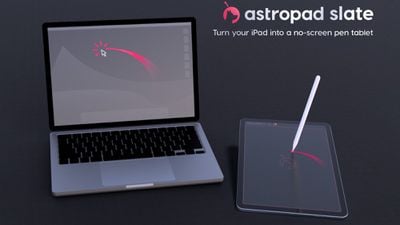
There are several Mac functions that can be performed with the Apple Pencil. It works as a cursor for controlling the desktop mouse, with a tap on the screen serving as a click. Handwriting done on the iPad will be translated into typed text on the Mac. Astropad Slate supports the Apple Pencil hover gestures on newer iPads, and there is a simulated hover option on older iPads, plus you can use two-finger touch gestures for actions like scrolling and zoom.
You can also use the iPad as a pen tablet with Mac apps that support drawing, sketching, and other creative work. The Astropad Slate app basically turns the iPad into a no-screen drawing tablet so you can focus on your work on the Mac. A Mac and an iPad can be connected using Wi-Fi, Peer-to-Peer networking, or an appropriate USB cable. Requirements include iPadOS 15 or later and macOS 11 or later.
The Astropad Slate app can be accessed by signing up for the beta on the Astropad website.
Popular Stories
Apple has unveiled a whopping nine new products so far this March, including an iPhone 17e, iPad Air models with the M4 chip, MacBook Air models with the M5 chip, MacBook Pro models with M5 Pro and M5 Max chips, the all-new MacBook Neo, an updated Studio Display, a higher-end Studio Display XDR, AirPods Max 2, and now the Nike Powerbeats Pro 2.
iPhone 17e features the same overall design as...
While the iPhone 18 Pro and iPhone 18 Pro Max are not expected to launch for another six months or so, there are already plenty of rumors about the devices.
It was initially reported that the iPhone 18 Pro models would have fully under-screen Face ID, with only a front camera visible in the top-left corner of the screen. However, the latest rumors indicate that only one Face ID component...
iOS 26.4 isn't the major update with new Siri features that we hoped for, but there are some useful quality of life improvements, and a little bit of fun with an AI playlist generator and new emoji characters.
Playlist Playground - Apple Music has a Playlist Playground option that lets you generate playlists from text-based descriptions. You can include moods, feelings, activities, or...























