Google Announces Support for Account Passkeys - MacRumorsOpen MenuShow RoundupsShow Forums menuVisit ForumsOpen Sidebar
Skip to Content

Google Announces Support for Account Passkeys

Google today announced that it is introducing support for passkeys, providing an easier and more secure login method for Google accounts. Apple integrated passkeys into iOS with the launch of iOS 16, and it is also available in iPadOS 16.1 and later as well as macOS Ventura.
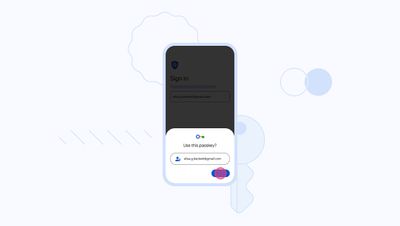
passkeys google
Passkeys are an industry standard developed by the FIDO Alliance and the World Wide Web Consortium, so Google's passkey integration will work on Apple devices as well as on other devices that support the feature. As Google notes:

Last year — alongside FIDO Alliance, Apple and Microsoft — we announced we would begin work to support passkeys on our platform as an easier and more secure alternative to passwords. And today, ahead of World Password Day, we've begun rolling out support for passkeys across Google Accounts on all major platforms. They'll be an additional option that people can use to sign in, alongside passwords, 2-Step Verification (2SV), etc.

Passkeys are both easier to use and more secure than passwords because they let users sign in to apps and sites the same way they unlock their devices: With a fingerprint, a face scan or a screen lock PIN. Passkeys are also resistant to online attacks like phishing, making them more secure than things like SMS one-time codes.

To create a passkey, Google users can log in to their Google account and then choose the "Create a passkey" option. Passkeys on iOS and Mac devices sync with iCloud Keychain for security purposes, and logins are authenticated with Face ID or Touch ID. This protects you from being locked out of your account in case you lose your devices, and makes it easier for you to upgrade from one device to another.

Google says the switch to passkeys will take time, which is why traditional passwords and two-step verification will still work for Google Accounts.

Google is just one of several companies to implement support for passkeys in recent months, with other supporting apps and websites including PayPal, Best Buy, eBay, Dashlane, and Kayak.


Popular Stories

Chrome Feature 22

Gemini in Google Chrome Gets a Skills Library for Saving Custom AI Prompts

Tuesday April 14, 2026 10:00 am PDT by
Chrome has been updated today with a Skills library that's designed to let Chrome users turn AI tasks into repeatable skills that can be used on any website. Useful prompts you create for Gemini in Chrome can be saved as a Skill that can be accessed later with a single click. If you're shopping for skincare and ask Gemini about the ingredients in a product, for example, you can save the...
gemini for mac app google

Google Launches Native Gemini AI App for Mac

Wednesday April 15, 2026 10:46 am PDT by
Google is bringing Gemini to the Mac with a new native macOS app that's available starting today. Gemini for Mac can be activated with a keyboard shortcut, and it has built-in tools for generating images, analyzing what's on your screen, reviewing files, and more. Gemini is the last of the three major AI services to have a dedicated Mac app, because OpenAI and Anthropic have had Mac apps for ...
Gemini Siri Feature

Google Confirms Gemini-Powered Siri Coming Later This Year

Wednesday April 22, 2026 11:08 am PDT by
Google today commented on its partnership with Apple, confirming that Gemini will power a new, more personalized version of Siri that's set to be released later in 2026. Google Cloud chief Thomas Kurian mentioned the Apple partnership during Google Cloud Next 2026, a conference that's taking place in Las Vegas, Nevada today. Earlier this year, we announced a monumental partnership with one...

Top Rated Comments

39 months ago

So, with Passkeys tied to an already authenticated login on a device I control, how do I log in to my Google account on a device I do not control, like a work computer or a university lab computer? Do passwords still work for that?
You would scan the QR code displayed on the device you don’t control. It will authenticate using the passkey stored in your phone’s keychain.
Score: 16 Votes (Like | Disagree)
anshuvorty Avatar
39 months ago
Let’s go!!! Let’s get rid of these freakin passwords!!
Score: 14 Votes (Like | Disagree)
cocky jeremy Avatar
39 months ago
Macrumors going to add this option for themselves?
Score: 11 Votes (Like | Disagree)
39 months ago

It may be more convenient, but is Face ID access really more secure than a password+2FA? It’s easy to think of scenarios that defeat fingerprint or Face ID.
Face ID isn’t required. You can use a device passcode to authenticate with passkeys.

Face ID would be a better option as it would prevent someone seeing your passcode or it being captured by security cameras when you’re typing it in.

Passkeys are not just more convenient, they’re more secure also.
Score: 10 Votes (Like | Disagree)
39 months ago

My question is if Face ID isn’t required and a passcode can be used doesn’t this fall right back into the security vulnerability we’ve heard recently where Face ID can be bypassed and a passcode can be used to access keychain? Since passkeys are saved in keychain can’t they be accessed using this method? It seems to me the bypassing of Face ID is the crux of the existing security flaw.
If your face-id or device passcode gets compromised, yeah, your passkeys may get compromised too. That's not the problem passkeys are trying to solve, though. In your scenario, an attacker will only gain access to your accounts.

Right now, most website servers store hashes of passwords for all their users, and attackers can use different techniques (like rainbow tables) to convert them to actual passwords. This is what passkeys are trying to eliminate.

Your passkey is made up up private and public key. The private key never leaves your devices, and never gets stored on, say, facebook.com's servers. So even if someone hacks facebook.com's servers and gets billions of users' public keys, they don't have jack **** because you need private keys to authenticate fully.

In simpler words, passkeys don't eliminate threat to your device passwords. They're eliminating large scale data breaches on companies' servers.
Score: 8 Votes (Like | Disagree)
Will Co Avatar
39 months ago

Let’s go!!! Let’s get rid of these freakin passwords!!
Right? Why are so few websites supporting this stuff. Everyone should be all over this by now....
Score: 8 Votes (Like | Disagree)
Related Apple News: Lifestyle | Business | Buyers Guide | Opinion | Mac