Apple Seeds Fourth Beta of macOS Ventura 13.1 to Developers [Update: Public Beta Available]

Apple today seeded the fourth beta of an upcoming macOS Ventura 13.1 update to developers for testing purposes, with the beta launching two weeks after Apple seeded the third macOS Ventura 13.1 beta.
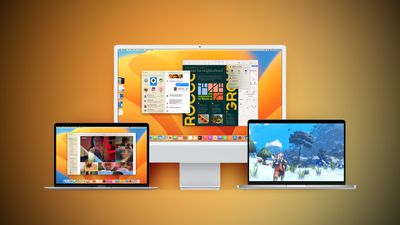
Ventura Macs Feature Yellow
Registered developers can download the beta through the Apple Developer Center and after the appropriate profile is installed, the beta will be available through the Software Update mechanism in System Settings.

With macOS Ventura 13.1, Apple has debuted the Freeform app, which is aimed at creative collaboration. It can be used for brainstorming, planning out ideas, jotting down thoughts, sketching, and other creative purposes.

Users can insert drawings, sticky notes, shapes, text boxes, photos, videos, PDFs, links, and other documents, with Freeform serving as a blank canvas. Freeform "boards" can be shared with other people and discussed over FaceTime, with updates from all participants synced to everyone in real-time.

macOS Ventura 13.1 also introduces support for an updated Home app architecture that improves performance for smart home devices, with these features also available in iOS 16.2 and iPadOS 16.2.


Related Forum: macOS Ventura

Popular Stories

Aston Martin CarPlay Ultra Screen

Apple's CarPlay Ultra to Expand to These Vehicle Brands Later This Year

Sunday February 1, 2026 10:08 am PST by
Last year, Apple launched CarPlay Ultra, the long-awaited next-generation version of its CarPlay software system for vehicles. Nearly nine months later, CarPlay Ultra is still limited to Aston Martin's latest luxury vehicles, but that should change fairly soon. In May 2025, Apple said many other vehicle brands planned to offer CarPlay Ultra, including Hyundai, Kia, and Genesis. In his Powe...
Apple Logo Black

Apple's Next Launch is 'Imminent'

Sunday February 1, 2026 12:31 pm PST by
The calendar has turned to February, and a new report indicates that Apple's next product launch is "imminent," in the form of new MacBook Pro models. "All signs point to an imminent launch of next-generation MacBook Pros that retain the current form factor but deliver faster chips," Bloomberg's Mark Gurman said on Sunday. "I'm told the new models — code-named J714 and J716 — are slated...
iOS 26

iOS 26.3 and iOS 26.4 Will Add These New Features to Your iPhone

Tuesday February 3, 2026 7:47 am PST by
We are still waiting for the iOS 26.3 Release Candidate to come out, so the first iOS 26.4 beta is likely still at least a week or two away. Following beta testing, iOS 26.4 will likely be released to the general public in March or April. Below, we have recapped known or rumored iOS 26.3 and iOS 26.4 features so far. iOS 26.3 iPhone to Android Transfer Tool iOS 26.3 makes it easier...
Apple MacBook Pro M4 hero

New MacBook Pros Reportedly Launching Alongside macOS 26.3

Sunday February 1, 2026 5:42 am PST by
Apple is planning to launch new MacBook Pro models with M5 Pro and M5 Max chips alongside macOS 26.3, according to Bloomberg's Mark Gurman. "Apple's faster MacBook Pros are planned for the macOS 26.3 release cycle," wrote Gurman, in his Power On newsletter today. "I'm told the new models — code-named J714 and J716 — are slated for the macOS 26.3 software cycle, which runs from...
iOS 26 Home Feature

Apple Gives Final Warning to Home App Users

Tuesday February 3, 2026 8:55 am PST by
In 2022, Apple introduced a new Apple Home architecture that is "more reliable and efficient," and the deadline to upgrade and avoid issues is fast approaching. In an email this week, Apple gave customers a final reminder to upgrade their Home app by February 10, 2026. Apple says users who do not upgrade may experience issues with accessories and automations, or lose access to their smart...

Top Rated Comments

Realityck Avatar
42 months ago
[SPOILER="macOS Ventura 13.1 Beta 4 Release Notes"]
[HEADING=2]Endpoint Security[/HEADING]
[HEADING=3]Known Issues[/HEADING]

* Third-party security products using the Endpoint Security API might lose Full Disk Access authorization and stop functioning, even though the product remains visible in System Settings. This issue doesn’t affect authorization granted via MDM. (100857507)
Workaround: Go to System Settings > Privacy & Security > Full Disk Access, select the security product, use the minus (-) button to remove, and then use the plus (+) button to re-add the affected security product. A system restart might be required to restore expected functionality.

[HEADING=2]Freeform[/HEADING]
[HEADING=3]Resolved in macOS Ventura 13.1 beta 4[/HEADING]

* Fixed: Inserting a sticky or a file might result in an unexpected error. (100883621)

[HEADING=2]Game Controller[/HEADING]
[HEADING=3]Resolved in macOS Ventura 13.1 beta 4[/HEADING]

* Fixed: GCKeyboard and GCMouse APIs might stop reporting events when the system experiences memory pressure, which can cause lost input in some games and other applications. (100736897)

[HEADING=2]SwiftUI[/HEADING]
[HEADING=3]Resolved in macOS Ventura 13.1 beta 4[/HEADING]

* SwiftUI apps defined with a MenuBarExtra primary scene and a WindowGroup or Window auxiliary scene will no longer show a window for the auxiliary scene when launched. (97671037)

[HEADING=2]SwiftUI Navigation[/HEADING]
[HEADING=3]Resolved in macOS Ventura 13.1 beta 4[/HEADING]

* NavigationStack on macOS supports animated transitions. Either pass the path argument to NavigationStack with an animated binding ($path.binding), or mutate the path within a withAnimation body. The transition modifier now has an effect on pushed destinations. (95714581)

[/SPOILER]
Score: 5 Votes (Like | Disagree)
Realityck Avatar
42 months ago
This should be the last beta, before the RC next week.
Score: 4 Votes (Like | Disagree)
Realityck Avatar
42 months ago
released today

* iOS 16.2 beta 4 (20C5058d) - December 1, 2022
* iPadOS 16.2 beta 4 (20C5058d) - December 1, 2022
* macOS 13.1 beta 4 (22C5059b) - December 1, 2022
* watchOS 9.2 beta 4 (20S5357b) - December 1, 2022
* tvOS 16.2 beta 4 (20K5357b) - December 1, 2022

OTA is available. 1.99 GB (M1 Mac)
Score: 4 Votes (Like | Disagree)
MauiPa Avatar
42 months ago

How stable is it? I’d love to upgrade, but Apple’s software quality is just so bad nowadays and I can’t risk my creative workflow for a bunch of nice-to-have features.
LOL, not even close. I have been using Ventura throughout developer beta, and seriously no issues. Sure you read about a small bug here and there, but nothing as bad as Windows. I'd never go back. Very pleased with Ventura, even the betas are uber stable
Score: 4 Votes (Like | Disagree)
Realityck Avatar
42 months ago

Not gonna update. New system prefs is a disaster. It does not make sense to mimick ios.
You can use the pull down menu under view to see an alphabetical list view in Mac System Settings rather then look for things nestled in the groupings of the system settings window.

Score: 4 Votes (Like | Disagree)
Realityck Avatar
42 months ago

How stable is it? I’d love to upgrade, but Apple’s software quality is just so bad nowadays and I can’t risk my creative workflow for a bunch of nice-to-have features.
I have no issues with my personal usage with two AS Macs. Safari with beta 3 rarely needed empty memory cache, just once observed over the last 2 weeks. It should be based on what software you are using. Everything I use with latest updates is OK. These MacOS betas have installed fairly fast.
Score: 3 Votes (Like | Disagree)