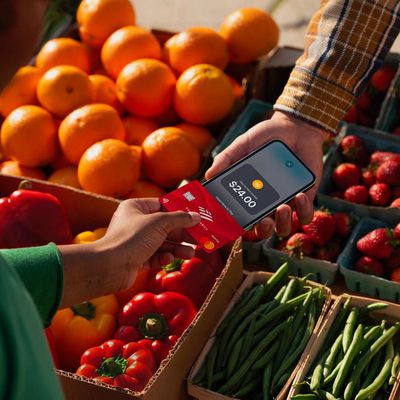
Square Officially Launches Support for Tap to Pay on iPhone
Square today publicly launched support for Tap to Pay on iPhone to sellers across the U.S., enabling small merchants and independent retailers to use their iPhone as a payment terminal.
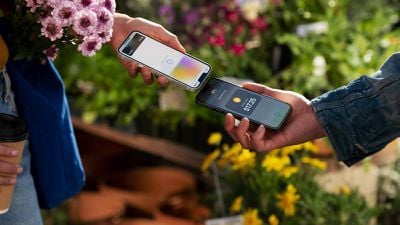
Tap to Pay on iPhone allows sellers to accept contactless payments directly using an iPhone, with no additional hardware or dongles required. The public launch follows Square's Early Access Program for Tap to Pay on iPhone that began in June.
The feature is available in the Square Point of Sale app for iOS on the iPhone XS or newer. Sellers simply need to open the app, ring up the sale, and present their iPhone to the buyer, who can then tap a contactless payment method such as Apple Pay on the top of the iPhone. Square shared several case studies highlighting how sellers are taking advantage of Tap to Pay on iPhone.
Apple announced Tap to Pay on iPhone back in February. Beyond Square, Apple is working with several partners on Tap to Pay on iPhone, including Stripe, GoDaddy, and Chase. Apple began testing the feature at the Apple Park Visitor Center in May and has since rolled it out to Apple retail stores.
Popular Stories
Apple has announced the availability of Tap to Pay on iPhone in Malaysia, allowing independent sellers, small merchants, and large retailers in the region to use iPhones as a payment terminal.
Tap to Pay allows iPhones to accept payments via Apple Pay, contactless credit and debit cards, and other digital wallets. All transactions are encrypted, and Apple has no information...
Apple today released a new Pride Edition Sport Loop for the Apple Watch. The band features a rainbow design with 11 colors of woven nylon yarns.
The new Pride Edition Sport Loop is available to order now on Apple.com and in the Apple Store app in 40mm, 42mm, and 46mm sizes, and it will be available at Apple Store locations starting later this week. In the U.S., the band costs $49.
There...
Apple is expected to unveil iOS 27 during its WWDC 2026 keynote on June 8, and there are already many rumored features and changes for iPhones.
The first developer beta of iOS 27 will likely be available immediately following the keynote, and a public beta typically follows in July. Following beta testing, the software update should be released to all users with a compatible iPhone in...