USB-C Accessories Need User Permission to Communicate With Apple Silicon Macs Running macOS Ventura - MacRumorsOpen MenuShow RoundupsShow Forums menuVisit ForumsOpen Sidebar
Skip to Content

USB-C Accessories Need User Permission to Communicate With Apple Silicon Macs Running macOS Ventura

With macOS Ventura, there's a new USB-C security feature designed for Apple silicon Macs. As described by Apple in the macOS Ventura release notes (via The Verge), USB-C and Thunderbolt accessories connected to the USB-C port on an Apple silicon Mac will require explicit user permission before the accessory can communicate with macOS.
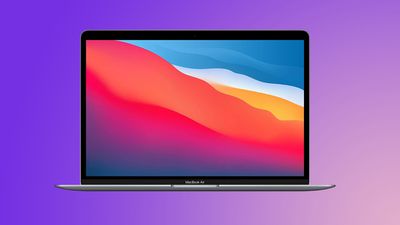
macbook air purple

On portable Mac computers with Apple silicon, new USB and Thunderbolt accessories require user approval before the accessory can communicate with macOS for connections wired directly to the USB-C port. This doesn't apply to power adapters, standalone displays, or connections to an approved hub. Devices can still charge if you choose Don't Allow.

You can change the security configuration in System Settings > Security and Privacy > Security. The initial configuration is Ask for new accessories. Configuring an accessibility Switch Control sets the policy to always allow accessory use. Approved devices can connect to a locked Mac for up to three days.

Accessories attached during software update from prior versions of macOS are allowed automatically. New accessories attached prior to rebooting the Mac might enumerate and function, but won't be remembered until connected to an unlocked Mac and explicitly approved.

The user permission restriction does not apply to power adapters, standalone displays, or connections to an approved hub, so it will not impact the use of displays or chargers, and it can be toggled off if desired.

macOS Ventura is available to developers at the current time, with a public beta planned for July.


Related Forum: macOS Ventura

Popular Stories

Apple Event Logo

Apple Just Released a New Accessory

Monday May 4, 2026 8:13 am PDT by
Apple today released a new Pride Edition Sport Loop for the Apple Watch. The band features a rainbow design with 11 colors of woven nylon yarns. The new Pride Edition Sport Loop is available to order now on Apple.com and in the Apple Store app in 40mm, 42mm, and 46mm sizes, and it will be available at Apple Store locations starting later this week. In the U.S., the band costs $49. There...
iOS 27 on iPhone 17 1

iOS 27 Will Add These New Features to Your iPhone

Saturday May 2, 2026 8:43 am PDT by
Apple is expected to unveil iOS 27 during its WWDC 2026 keynote on June 8, and there are already many rumored features and changes for iPhones. The first developer beta of iOS 27 will likely be available immediately following the keynote, and a public beta typically follows in July. Following beta testing, the software update should be released to all users with a compatible iPhone in...
Apple Announces 2026 Pride Band Watch Face and iPhone Wallpaper Article 2

iOS 26.5 Coming Soon With These New Features

Monday May 4, 2026 8:40 am PDT by
iOS 26.5 is expected to be released next week, following more than a month of beta testing. The update is relatively minor, but there are a couple of new features and changes across the operating system that we have recapped below. iOS 26.5 lays the groundwork for end-to-end encryption for RCS in the Messages app and ads in the Apple Maps app, and it will include a new Pride wallpaper and a...

Top Rated Comments

rorschach Avatar
51 months ago
Good idea. But what happens if your keyboard and mouse suddenly stop working (it happens) and you need to plug in USB ones? How will you "approve" them?
Score: 22 Votes (Like | Disagree)
zakarhino Avatar
51 months ago
Underrated simple idea that might help mitigate chargers with malware.
Score: 12 Votes (Like | Disagree)
51 months ago
Yes good idea. The type of thing that makes you wonder why it wasn't always there.
Score: 9 Votes (Like | Disagree)
51 months ago

Yes

Exploiting any vulnerability in the USB software stack on the system.
But, how does the user know they are being exploited when "allowing" the device? Most devices don't say "This contains malware" on them...won't everyone just "allow" everything they themselves are plugging in?

What am I missing?
Score: 6 Votes (Like | Disagree)
TheColtr Avatar
51 months ago

Not being sarcastic, but why is this a good thing? Are we guarding against random bad actors plugging stuff into my laptop while I’m at out in a public place? What is the risk that is being protected?
I think it’s more for those times you plug into a random usb outlet to charge. A coffee shop, hotel, or airport. Any of those could have been modified with malicious intent. That’s why iOS got the option to disallow USB data connections while locked a while back. It hasn’t been as big of a deal in the past for laptops, USBC PD is becoming powerful enough that it’s not unreasonable to plug in to a usbc port without a normal power brick.
Score: 5 Votes (Like | Disagree)
51 months ago
If this is for security, then how am I (an unsuspecting victim) supposed to know NOT to allow a USB drive I am plugging in that seems perfectly safe to me? I say "Allow" and BAM! I'm still a victim. Or is this to stop usb-c driving from plugging themselves in when I'm not around?
Score: 5 Votes (Like | Disagree)
Related Apple News: Reviews | Opinion | Politics | Entertainment | Mac