MacRumors Giveaway: Win a Luna Display Adapter to Turn Your iPad or Mac Into an Extra Screen

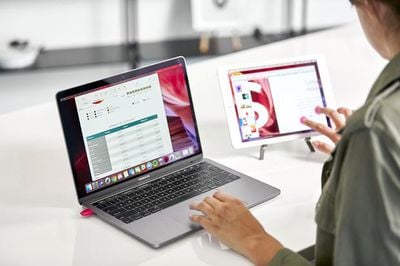
For this week's giveaway, we've teamed up with Astropad to offer MacRumors readers a chance to win a Luna Display adapter that's able to transform an extra Mac or iPad into a secondary display for your primary Mac.
lunadisplaymactomac2
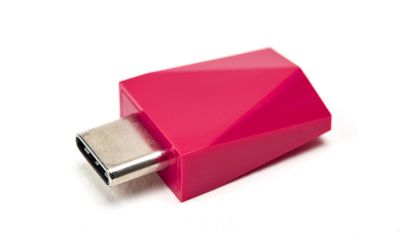
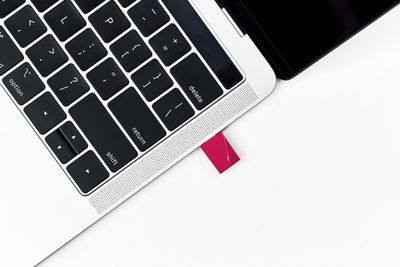
Priced at $80, the Luna Display adapter is a small dongle that plugs into your Mac using a USB-C port (on newer Macs) or a Mini DisplayPort and when used in combination with the Luna Display software, your main Mac (or a PC) can be connected to an ‌iPad‌ or another Mac over WiFi, giving you a new way to take advantage of old hardware or add an extra display without having to invest in another device.
lunadisplay2
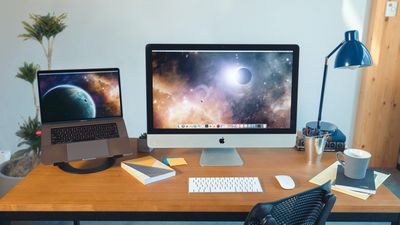
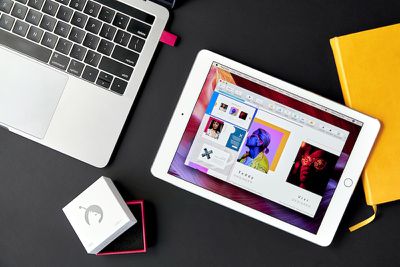
When connected, the Luna Display extends the primary Mac's display to the secondary Mac or ‌iPad‌ to allow the extra device to be used as a second screen, which is useful as people continue working and learning from home with makeshift office setups in 2021.
luna display mac to mac mode
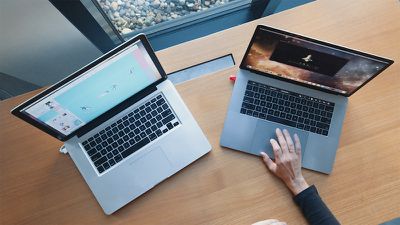
The Mac and ‌iPad‌ have built-in Sidecar functionality that can turn an ‌iPad‌ into a secondary display for a Mac without an accessory, but the Luna Display sets itself apart with the Mac-to-Mac support, which ‌Sidecar‌ can't do. Luna Display is also able to work with older iPads that don't support ‌Sidecar‌.

luna display macbook
In Mac-to-Mac mode, the primary Mac needs to have OS X El Capitan or later installed, while the secondary Mac can be running OS X Mountain Lion or later, so Luna Display works with machines that are quite old. For best performance, the main Mac should be a 2012 MacBook Air, MacBook Pro, Mac mini, iMac, or later, or a 2013 Mac Pro or later. As of November 2020, the Luna Display adapter has native support for M1 Macs, too.
luna product raw 087 copy 1800x1800
Luna Display offers full keyboard, trackpad, and mouse support on both connected Macs in Mac-to-Mac mode, with more information on how it works available on the Luna Display website.

For iPads, the Luna Display is compatible with almost all modern iPads, including the ‌iPad‌ 2 or later, all iPad mini models, all iPad Pro models, and all iPad Air models, with iOS 9.1 or later as the only requirement. Performance is faster on newer iPads, but older models work well too.
lunadisplay3
For those who have PCs, there is a Luna Display adapter for Windows. The PC version of Luna Display extends your desktop from PC to ‌iPad‌, allowing your devices to work interchangeably.

We have five Luna Display adapters to give away to MacRumors readers. To enter to win, use the Gleam.io widget below and enter an email address. Email addresses will be used solely for contact purposes to reach the winners and send the prizes. You can earn additional entries by subscribing to our weekly newsletter, subscribing to our YouTube channel, following us on Twitter, following us on Instagram, or visiting the MacRumors Facebook page.

Due to the complexities of international laws regarding giveaways, only U.S. residents who are 18 years or older and Canadian residents (excluding Quebec) who have reached the age of majority in their province or territory are eligible to enter. To offer feedback or get more information on the giveaway restrictions, please refer to our Site Feedback section, as that is where discussion of the rules will be redirected.

The contest will run from today (April 2) at 11:00 a.m. Pacific Time through 11:00 a.m. Pacific Time on April 9. The winners will be chosen randomly on April 9 and will be contacted by email. The winners will have 48 hours to respond and provide a shipping address before new winners are chosen.



Popular Stories

iOS 26

iOS 26.4 and iOS 27 Features Revealed in New Leak

Friday December 12, 2025 10:56 am PST by
Macworld's Filipe Espósito today revealed a handful of features that Apple is allegedly planning for iOS 26.4, iOS 27, and even iOS 28. The report said the features are referenced within the code for a leaked internal build of iOS 26 that is not meant to be seen by the public. However, it appears that Espósito and/or his sources managed to gain access to it, providing us with a sneak peek...
Apple Logo Top Half

Early iOS 26 Software Leak Uncovers Dozens of Upcoming Apple Features

Monday December 15, 2025 3:05 pm PST by
Software from an iPhone prototype running an early build of iOS 26 leaked last week, giving us a glimpse at future Apple devices and iOS features. We recapped device codenames in our prior article, and now we have a list of some of the most notable feature flags that were found in the software code. In some cases, it's obvious what the feature flags are referring to, while some are more...
apple beta 26 lineup

Apple Leak Confirms Work on Foldable iPhone, AirTag 2, and Dozens More Devices

Monday December 15, 2025 2:05 pm PST by
Last week, details about unreleased Apple devices and future iOS features were shared by Macworld. This week, we learned where the information came from, plus we have more findings from the leak. As it turns out, an Apple prototype device running an early build of iOS 26 was sold, and the person who bought it shared the software. The OS has a version number of 23A5234w, and the first...
Apple Foldable Thumb

Leak Reveals Foldable iPhone Details

Monday December 15, 2025 9:09 am PST by
The first foldable iPhone will feature a series of design and hardware firsts for Apple, according to details shared by the Weibo leaker known as Digital Chat Station. According to a new post, via machine translation, Apple is developing what the leaker describes as a "wide foldable" device, a term used to refer to a horizontally oriented, book-style foldable with a large internal display....
iOS 26

iOS 26.3 Beta 1 Features: What's New So Far

Monday December 15, 2025 4:23 pm PST by
Apple is testing iOS 26.3, the next version of iOS 26 that will launch around January. Since iOS 26.3's testing is happening over the holidays, it is a smaller update with fewer features than we've seen in prior betas. We've rounded up what's new so far, and we'll add to our list with subsequent betas if we come across any other features. Transfer to Android Apple is making it simpler...
iOS 26

Apple Releases iOS 26.2 With Alarms for Reminders, Lock Screen Changes, Enhanced Safety Alerts and More

Friday December 12, 2025 10:10 am PST by
Apple today released iOS 26.2, the second major update to the iOS 26 operating system that came out in September, iOS 26.2 comes a little over a month after iOS 26.1 launched. ‌iOS 26‌.2 is compatible with the ‌iPhone‌ 11 series and later, as well as the second-generation ‌iPhone‌ SE. The new software can be downloaded on eligible iPhones over-the-air by going to Settings >...
iOS 26

iOS 26.2 Coming Soon With These 8 New Features on Your iPhone

Thursday December 11, 2025 8:49 am PST by
Apple seeded the second iOS 26.2 Release Candidate to developers earlier this week, meaning the update will be released to the general public very soon. Apple confirmed iOS 26.2 would be released in December, but it did not provide a specific date. We expect the update to be released by early next week. iOS 26.2 includes a handful of new features and changes on the iPhone, such as a new...
airpods max 2024 colors

AirPods Max 2 Likely to Offer These 10 New Features

Monday December 15, 2025 7:41 am PST by
Apple released the AirPods Max on December 15, 2020, meaning the over-ear headphones launched five years ago today. While the AirPods Max were updated with a USB-C port and new color options last year, followed by support for lossless audio and ultra-low latency audio this year, the headphones lack some of the features that have been introduced for newer generations of the regular AirPods and the ...

Top Rated Comments

nc_sketchy Avatar
62 months ago

Yeah, this used to be a thing long time ago. But now that iOS comes with built-in screen sharing function, these dongles are quite useless for Mac users. Also, there are free screen extender app for Windows users as well.
Wrong on so many levels. As someone who uses both, the sidecar is terrible and crashes every time you change a setting. Luna performs better, has lower latency and can run headless. There are other features that I'm sure other people will use, but 1 to 1 luna crushes sidecar on every level except letting it function as a 3rd monitor on the M1 Macs (sidecar doesn't count as a monitor, where luna does)
Score: 7 Votes (Like | Disagree)
reden Avatar
62 months ago

Wrong on so many levels. As someone who uses both, the sidecar is terrible and crashes every time you change a setting. Luna performs better, has lower latency and can run headless. There are other features that I'm sure other people will use, but 1 to 1 luna crushes sidecar on every level except letting it function as a 3rd monitor on the M1 Macs (sidecar doesn't count as a monitor, where luna does)
This almost feels like a Luna advertisement lol.
Score: 4 Votes (Like | Disagree)
nc_sketchy Avatar
62 months ago

And you forgot to mention that all the secondary monitor app like Duet and Luna has been suffering for many years due to the changes in macOS and 3rd party apps not being able to access graphic drivers (look at all those 1 star app reviews 2-3 years ago). IDK if they fixed it by now or have a work around but who knows if that happens again.

Also, can you provide the source for your claims? I highly doubt that bluetooth wireless dongle can out perform wired connectivity in any way.
I'm not sure what you are talking about? It connects via wifi not bluetooth, but to remove latency altogether, you can use a normal lightning or USB-C cable that your iPad uses to connect back. It'll take up another port but it works perfectly. There is also a latency monitor for the Luna Display, but I am not 100% sure if there is one that exists for sidecar, if there is I'd be more than glad to take screenshots. I have never had any issues with the graphics drivers and I've been using it since the 2017 iMac. No issues at all with the M1 mini.

If you want to test sidecars bugginess yourself, just open up the sidecar preferences while connected and start checking/unchecking some of the boxes RE: Touch Bar and sidebar, it will disconnect with timeouts, at least mine does, all the time, and it has plenty of issues with sleep. God forbid you try to change the resolution while using it.

Another bonus, Luna lets you use the apple pencil as well as your finger, where sidecar forces you to use Apple Pencil.
Score: 3 Votes (Like | Disagree)
jwhazel Avatar
62 months ago

And you forgot to mention that all the secondary monitor app like Duet and Luna has been suffering for many years due to the changes in macOS and 3rd party apps not being able to access graphic drivers (look at all those 1 star app reviews 2-3 years ago). IDK if they fixed it by now or have a work around but who knows if that happens again.

Also, can you provide the source for your claims? I highly doubt that bluetooth wireless dongle can out perform wired connectivity in any way.
a.) It's not a bluetooth dongle. Video is transfered over IP via wifi or optionally over usb-c (mac > ipad) and ethernet/thunderbolt (mac > mac)
b.) It has no problem accessing the graphics drivers because it doesn't need to. The dongle is used to simulate an external DP connection. If macOS makes a change to screw this up, then it screws up external displays for everyone.


Attachment Image
Score: 3 Votes (Like | Disagree)
nc_sketchy Avatar
62 months ago

huh, now I am more confused on why we have the dongle in the first place. The only reason for having a dongle would be providing bluetooth so it can connect to nearby devices. But if it uses WiFi, then why can't we just use the wireless card that comes with the Mac itself?? Also, if that dongle really comes with WiFi chipset in that tiny enclosure, will it provide a stable connection at all?

For Apple's built-in Sidecar, the performance is great. I use it as secondary monitor while coding, as controller during presentation (using fingers), and as mirroring screen when tutoring someone. Although there were some minor glitches when it first launched a year ago, it has been very stable and bug free now. I haven't encounter the issues you mentioned so perhaps, it is a problem on your end.

Going back to the topic, you don't have any source nor metrics to prove the performance of Luna. And yet, you claim that it "crushes" sidecar for everything. However, my educational guess says otherwise. Luna adds extra layers to the operation of extending screen. It requires communication with the dongle, establish connections with iPad through the 3rd party app (lots of overhead), then finally output the screen. Sidecar, on the other hand, is integrated in OS-level. Meaning, it skips many layers that the 3rd party requires.

Anyway, I am not here to bash on Luna. As I mentioned earlier, this used to be a thing long time ago. But as many features that Apple stole or implemented in newest OS, secondary screen apps are depreciated. Plus, the costs. $70 just for the hardware, and if you want to use all of their features, you have to pay for their subscription (kidding?). All I need to do for Sidecar is to click on Airplay on my Mac, select iPad, and enjoy the free and better performing screen sharing/extending.
Thats fine its just that you have a misunderstanding about the hardware.
The dongle isn't really a bluetooth/wifi adapter. Its a literal monitor and it taps straight into the GPU, where I believe sidecar is CPU rendering (don't 100% quote me on that)

Luna requires no subscription, though I use it in conjunction with Astropad standard. Astropad Studio requires the subscription.

Short of recording a demo I don't really know what I can do to show you the difference. I drew a few circles in Krita just now in both, wirelessly, and the results are subtle but clear, Luna keeps its arcs, where Sidecar has a few jagged edges and oddly reads the pressure sensitivity weirdly (thinner in certain points and larger jumps in pressure changes).

If I'm just using it at my desk, I use sidecar for the 3rd monitor (I also have a graphics display, so I don't really need to use the drawing features there), but Luna lets me turn my Mac mini into a laptop (assuming there is a plug nearby), and that your cannot beat. Though admittedly I don't know why sidecar doesn't have this feature, it seems simple enough to implement.

edit: I saw your other post, so, you know, ignore that part
Score: 3 Votes (Like | Disagree)
Mykbibby Avatar
62 months ago
I'm just here for the free food
Score: 3 Votes (Like | Disagree)