Google Chrome Beta on iOS Lets You Lock Incognito Tabs With Face ID
Google is testing a new feature for its Google Chrome app for iOS, which will let Incognito tabs be locked with either Face ID or Touch ID on an iPhone or iPad.
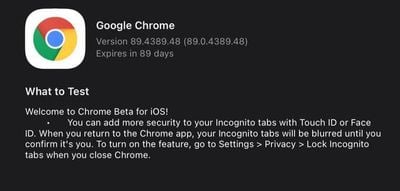
As highlighted by 9to5Google, the latest Chrome beta will blur Incognito tabs in the Chrome app until confirmed with the iPhone's biometric authentication.
The feature can be enabled by going to Settings > Privacy > Lock Incognito tabs when you close Chrome. There's a similar option in the Google Search app that confirms identity with Face ID or Touch ID when returning to an incognito search session after 15 minutes, and there's also a privacy lock built into Google Drive.
Google has not updated the Chrome app for iOS since November as it is delaying new versions of most of its apps at the current time. It's not clear when the new feature might launch in the release version of Chrome, but Chrome 89 is expected to launch next month.
The Incognito tab locking feature is limited to beta testers at the current time, and according to 9to5Google, not all beta users are able to access the locking option as there is a server-side element involved.
Popular Stories
Google today updated its Chrome browser with support for vertical tabs, which are displayed in a sidebar instead of at the top of the browser.
The tab layout can be changed by right clicking on any Chrome window and choosing the "Show Tabs Vertically" option. Sidebar tabs feature full page titles and make it simple to organize tab groups.
Google has also added a new full-page interface...
Chrome has been updated today with a Skills library that's designed to let Chrome users turn AI tasks into repeatable skills that can be used on any website.
Useful prompts you create for Gemini in Chrome can be saved as a Skill that can be accessed later with a single click. If you're shopping for skincare and ask Gemini about the ingredients in a product, for example, you can save the...
Google is bringing Gemini to the Mac with a new native macOS app that's available starting today. Gemini for Mac can be activated with a keyboard shortcut, and it has built-in tools for generating images, analyzing what's on your screen, reviewing files, and more.
Gemini is the last of the three major AI services to have a dedicated Mac app, because OpenAI and Anthropic have had Mac apps for ...

























