

Apple Updates Final Cut Pro, iMovie, Clips, and Compressor Apps With Streamlined YouTube/Facebook Sharing Function

Apple today updated its video apps iMovie, Final Cut Pro, and Compressor for Mac with a unified sharing option for platforms like YouTube and Facebook. Apple has also updated its iMovie and Clips apps for iOS with matching functionality.
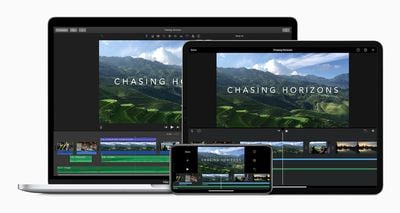
imovie mac ipad iphone
In a new support document, Apple provides detailed instructions on how to share video files from iMovie, Final Cut Pro, Compressor, and Clips on YouTube, Facebook, and Vimeo. Depending on the app, there are options to adjust a video's aspect ratio, resolution, orientation, compression, captions, or other settings.

The instructions for Final Cut Pro:

1. Select your project in the Final Cut Pro browser, click the Share button , then choose YouTube & Facebook. Or choose File > Share > YouTube & Facebook.
2. In the Share window, click Info to change the name of the clip, the description, and more. Click Settings to choose resolution, compression, and caption settings.
3. Click Next, choose a location to save the video file, then click Save.
4. With Safari or another web browser, sign in to your YouTube, Facebook, or Vimeo account, then upload the video file. You can also get the Vimeo for macOS app from the Mac App Store to upload your video to Vimeo.

While apps like iMovie and Final Cut Pro already had sharing options for YouTube and Facebook, the process is now unified and streamlined. The latest updates for each app are available now on the App Store and Mac App Store.


Popular Stories

Aston Martin CarPlay Ultra Screen

Apple's CarPlay Ultra to Expand to These Vehicle Brands Later This Year

Sunday February 1, 2026 10:08 am PST by
Last year, Apple launched CarPlay Ultra, the long-awaited next-generation version of its CarPlay software system for vehicles. Nearly nine months later, CarPlay Ultra is still limited to Aston Martin's latest luxury vehicles, but that should change fairly soon. In May 2025, Apple said many other vehicle brands planned to offer CarPlay Ultra, including Hyundai, Kia, and Genesis. In his Powe...
Apple Logo Black

Apple's Next Launch is 'Imminent'

Sunday February 1, 2026 12:31 pm PST by
The calendar has turned to February, and a new report indicates that Apple's next product launch is "imminent," in the form of new MacBook Pro models. "All signs point to an imminent launch of next-generation MacBook Pros that retain the current form factor but deliver faster chips," Bloomberg's Mark Gurman said on Sunday. "I'm told the new models — code-named J714 and J716 — are slated...
Apple MacBook Pro M4 hero

New MacBook Pros Reportedly Launching Alongside macOS 26.3

Sunday February 1, 2026 5:42 am PST by
Apple is planning to launch new MacBook Pro models with M5 Pro and M5 Max chips alongside macOS 26.3, according to Bloomberg's Mark Gurman. "Apple's faster MacBook Pros are planned for the macOS 26.3 release cycle," wrote Gurman, in his Power On newsletter today. "I'm told the new models — code-named J714 and J716 — are slated for the macOS 26.3 software cycle, which runs from...
iOS 26

iOS 26.3 and iOS 26.4 Will Add These New Features to Your iPhone

Tuesday February 3, 2026 7:47 am PST by
We are still waiting for the iOS 26.3 Release Candidate to come out, so the first iOS 26.4 beta is likely still at least a week or two away. Following beta testing, iOS 26.4 will likely be released to the general public in March or April. Below, we have recapped known or rumored iOS 26.3 and iOS 26.4 features so far. iOS 26.3 iPhone to Android Transfer Tool iOS 26.3 makes it easier...
14 inch MacBook Pro Keyboard

Apple Changes How You Order a Mac

Saturday January 31, 2026 10:51 am PST by
Apple recently updated its online store with a new ordering process for Macs, including the MacBook Air, MacBook Pro, iMac, Mac mini, Mac Studio, and Mac Pro. There used to be a handful of standard configurations available for each Mac, but now you must configure a Mac entirely from scratch on a feature-by-feature basis. In other words, ordering a new Mac now works much like ordering an...

Top Rated Comments

jayducharme Avatar
67 months ago
I gave up on exporting from FCPX directly to YouTube. The upload process would often fail for unknown reasons. I just make a Master File and then drag that into YouTube's upload interface. It's a lot quicker that way and I get the same result.
Score: 8 Votes (Like | Disagree)
DarkRail Avatar
67 months ago
Anyone remember the Final Cut Pro "yak" easter egg? If you stared at your timeline too long, grass would grow on it and a little yak would come out and nibble the grass and say surreal things. It was tastefully programmed so that it only appeared on rare occasions, usually in the wee hours of the morning when it was pleasantly disturbing. I believe the yak was gone before Final Cut Pro X came out.

That's how long I've been using Final Cut, about 20 years. I switched to DaVinci Resolve a couple weeks ago and have been in editing heaven. FCP was phenomenal for a long time, but having a normal track view back is wonderful. Everything about Resolve seems polished and useful. I'm upset Apple has let Final Cut rot on the vine for so long because I truly loved using it. Resolve is everything Final Cut should be in 2020.

Attachment Image
Score: 3 Votes (Like | Disagree)
Manzanito Avatar
67 months ago
Kind of underwhelming. It’s starting to look more and more like when aperture updates took longer each time, and each time was something even smaller.
Score: 3 Votes (Like | Disagree)
verstaerker Avatar
67 months ago
WTF??? They basically removed the function!
Score: 2 Votes (Like | Disagree)
Kylo83 Avatar
67 months ago
what about dolby vision editing support????
Score: 2 Votes (Like | Disagree)
amartinez1660 Avatar
67 months ago

Completely agree. I was with FCP from v1. FCPX forced me to find a new program. Resolve took all the best parts of FCP 7 and moved forward with it. Couldn't be happier.
Would you say that’s still the same on the latest versions of FCPX? (Or FCP as it has gone back to). I’m an After Effects guy but I’m stubbornly investing time here and there on FCP/Motion, I don’t know, there’s something there that feels “right”... but ultimately I’m still eons slower than even using after effects for editing (which isn’t even meant to) let alone actual compositing.
Score: 1 Votes (Like | Disagree)
















