

A date-related bug in iOS 11.1.2 appears to be causing iPhones and iPads to continually crash or respring when time-based local notifications are received after 12:15 a.m. on December 2, according to reports on Twitter and reddit.
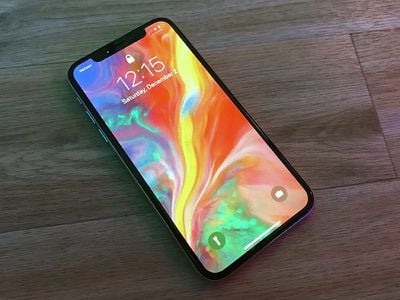
The problem seems to be tied to local notifications received from apps that offer daily or repeat reminders. For example, meditation app Headspace, one of the affected apps, sends daily reminders to users to encourage them to take some time to meditate. Any app using local (as in not pushed from a remote server) notifications that repeat will cause a crash.
If you have an app that has local notification with repeating settings, it will crash iOS Springboard on Dec. 2 (Tomorrow!) Here is a reproducible app by @takayamahttps://t.co/ecEoxFN2hM — Yoshimasa Niwa (@niw) December 2, 2017
On reddit, users have had some success fixing the issue by disabling notifications and turning off background app refresh, while Apple's support staff appears to be recommending a manual date change to a time before the problem occurred as a temporarily solution. Reinstalling apps and restarting does not fix the issue. The problem looks like it's limited to devices running iOS 11.1.2 -- devices on the current iOS 11.2 beta aren't affected.
Apple Stores in Australia, where it is late afternoon on December 2, are reportedly being inundated with support requests from customers who are experiencing the issue.
PSA from staff: if you have an iPhone, it will likely crash due to a date bug when date rolls over to 2 December, depending on time zone. The temp fix is to manually set date/time to a date prior to 2 Dec. This will make some apps unusable due to date checks on server. — J (@jeremybank) December 2, 2017
Apple will undoubtedly fix this problem quickly through an iOS update, but as people wake up on December 2 in the United States and other countries throughout the world, there's likely to be quite a lot of confusion when devices begin inexplicably respringing over and over again.
If you're experiencing continual crashing, the first thing to try is disabling notifications for apps that send regular reminders. It can, however, be difficult to tell which apps are responsible, so a secondary solution is to set the date on your iPhone to before December 2 as you await a fix from Apple.
If you aren't experiencing any crashes, there's no need to turn off notifications or adjust the date on your device.
Update: Apple has released iOS 11.2 to fix this problem, along with an accompanying support document outlining steps to take if you're experiencing crashes. Apple recommends turning off notifications and then installing the update.
If your device with iOS 11 unexpectedly restarts repeatedly on or after December 2, 2017, learn what to do.
Use these steps to turn off notifications for all the apps on your device, then update your device to iOS 11.2:
1. Tap Settings > Notifications.
2. Tap an app, then turn off Allow Notifications. Repeat this step for each app.
3. Update your device to iOS 11.2.
4. After updating, tap Settings > Notifications and turn Allow Notifications on again for each app.



















