

 Apple today released Music Memos, an all-new iPhone and iPad app that is essentially an enhanced version of the stock Voice Memos app for songwriters.
Music Memos is designed for musicians and songwriters to quickly and easily capture their impromptu song ideas on the fly, whenever inspiration strikes.
The app has a simple user interface at first glance, with nothing but a small recording button, but tucked away behind tiny icons are several useful features.
Recording
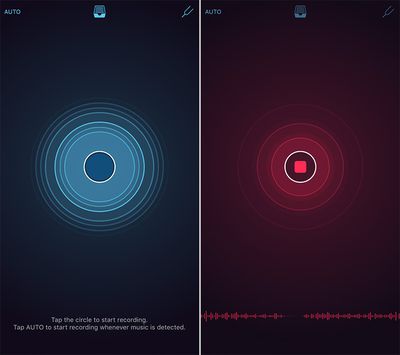
To begin recording, simply open the Music Memos app and tap on the blue circle button. The user interface will turn red while recording. Alternatively, you can tap on the "Auto" label in the top-left corner and the app will automatically start and stop the recording based on your voice.
As you are recording, the circle will pulsate to your voice, or musical instruments, and there is a waveform at the bottom of the screen. To finish recording, simply tap the red circle button and the snippet will appear at the bottom with a title, playback button, pitch notation, and other options.
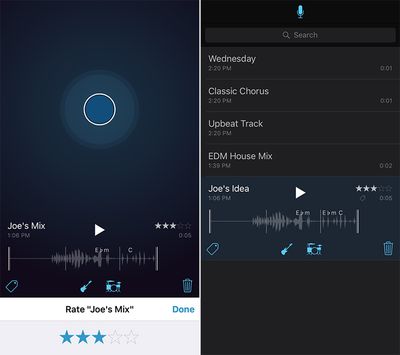
Tapping on the guitar or drum set icons overlays the music recording with drums and a bass line to provide a virtual, customizable backing band. Moreover, your snippet can be renamed, deleted, tagged, or rated on a five-star scale. The app also provides visual warnings if it detects your recording is too quiet or too loud.
Editing
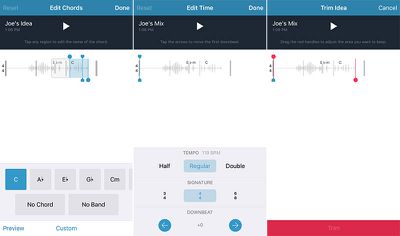
Music Memos saves a list of your recordings, accessible by tapping the tray button at the top of the app. Tapping on a snippet's waveform brings up various editing options for tempo, time signature, downbeat, tuning and length.
The app automatically analyzes your recording and displays musical measures and suggested chord names. Any chord names throughout your song can be renamed or provided further detail by tapping on them.
There are also the options to trim the beginning and end of your recording, adjust the tempo, time signature and downbeat, and keep track of comments, lyric ideas, alternate guitar tunings, or capo position.
Tuning
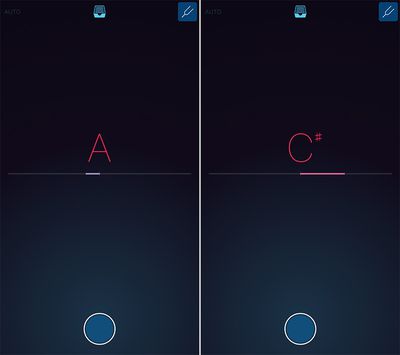
Music Memos includes a built-in tuner for chromatic pitch notation, accessible by tapping the tuning fork button in the top-right corner. The tuner automatically shows a letter note once it detects sound.
There are already several existing tuner apps on the App Store, including Guitar Tuna and Cleartune, but this is a convenient, all-in-one option that songwriters can use to both record musical ideas and tune their guitars.
Exporting and Sharing
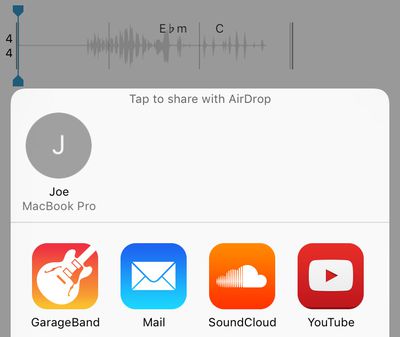
Music Memos snippets, which are 24-bit 44.1kHz audio files, can be saved to iCloud Drive, exported to Logic Pro X and GarageBand for iOS or Mac, or shared directly on Apple Music Connect, SoundCloud, and YouTube. Simply tap on the tray button at the top, expand a recording from the list and tap the share button.
Music Memos is free on the App Store for iPhone, iPad, and iPod touch.























