OS X 10.11.4 Beta Adds Live Photos Support for Messages - MacRumorsOpen MenuShow RoundupsShow Forums menuVisit ForumsOpen Sidebar
Skip to Content

OS X 10.11.4 Beta Adds Live Photos Support for Messages

Alongside the iOS 9.3 beta seeded to developers earlier this week, Apple also provided an OS X 10.11.4 beta with some minor updates to the OS X El Capitan operating system. OS X 10.11.4 was overshadowed by all of the features introduced in iOS 9.3 so it's taken a few days for people to dig into the release to find out what's new.

One of the new additions to OS X 10.11.4 is improved Live Photos support in the Messages app. When Live Photos were introduced with the launch of the iPhone 6s, the only place to view them on a Mac was within the Mac Photos app. As of OS X 10.11.4, Live Photos can also be viewed directly in the Messages app on a Mac running the operating system update.

live_photo_mac_messages_1
When a message containing a Live Photo is received on OS X 10.11.4, it will have the familiar concentric circles icon that marks a Live Photo. Clicking on a Live Photo will open up the mini photo viewer as is standard procedure with viewing any photo within Messages on a Mac, and in this view, the Live Photo will now play when the Live Photo icon is clicked.

live_photo_mac_messages_2
The ability to view Live Photos directly within the Messages app is a useful change that makes it possible to see Live Photos content sent from friends and family without needing to open it up on an iOS device or save it to Photos on the Mac. In the future, Apple could expand Live Photos support even further, making them viewable in other apps like Mail, Safari, notes, and more.

For those unfamiliar with Live Photos, it's an iPhone 6s feature that adds a hint of motion to still photos, not unlike the magical animated photos from the Harry Potter universe. Live Photos capture 3 seconds of video around a still image, which is played back when a photo is touched using a 3D Touch gesture on an iPhone 6s. Live Photos can only be taken with an iPhone 6s or 6s Plus, but they can be viewed on any iOS device running iOS 9 or any Mac running OS X El Capitan.

Subscribe to the MacRumors YouTube channel for more videos.

OS X 10.11.4 will likely come out alongside iOS 9.3, which Apple says will be released in the spring. As for other new features, the update also includes support for password protected notes in the Notes app.


Related Forum: OS X El Capitan

Popular Stories

imac video apple feature

Apple Released Yet Another New Product Today

Friday March 20, 2026 2:39 pm PDT by
Apple has unveiled a whopping nine new products so far this March, including an iPhone 17e, iPad Air models with the M4 chip, MacBook Air models with the M5 chip, MacBook Pro models with M5 Pro and M5 Max chips, the all-new MacBook Neo, an updated Studio Display, a higher-end Studio Display XDR, AirPods Max 2, and now the Nike Powerbeats Pro 2. iPhone 17e features the same overall design as...
ios 26 4 pastel

iOS 26.4: Top 10 New Features Coming to Your iPhone

Friday March 20, 2026 2:44 pm PDT by
iOS 26.4 isn't the major update with new Siri features that we hoped for, but there are some useful quality of life improvements, and a little bit of fun with an AI playlist generator and new emoji characters. Playlist Playground - Apple Music has a Playlist Playground option that lets you generate playlists from text-based descriptions. You can include moods, feelings, activities, or...
iPhone 18 Pro Deep Red Feature

iPhone 18 Pro Launching Later This Year With These 12 New Features

Wednesday March 18, 2026 7:39 am PDT by
While the iPhone 18 Pro and iPhone 18 Pro Max are not expected to launch for another six months or so, there are already plenty of rumors about the devices. It was initially reported that the iPhone 18 Pro models would have fully under-screen Face ID, with only a front camera visible in the top-left corner of the screen. However, the latest rumors indicate that only one Face ID component...

Top Rated Comments

arn Avatar
133 months ago
Live Photos is a waste of space and time.
Easy to turn off. I like Live Photos a lot.
Score: 11 Votes (Like | Disagree)
Wild-Bill Avatar
133 months ago
Live Photos is a waste of space and time.
Score: 8 Votes (Like | Disagree)
sashimimi Avatar
133 months ago
Is there an intelligible changelog of bugfixes and system inhancements which actually matter available somewhere ?
Score: 4 Votes (Like | Disagree)
Bubba Satori Avatar
133 months ago
I'm so excited about Apple spending time, resources and money to bring this to us that it made me forget all the dysfunctional facets of OSX and itunes not.
Like fixing this cluster truck.
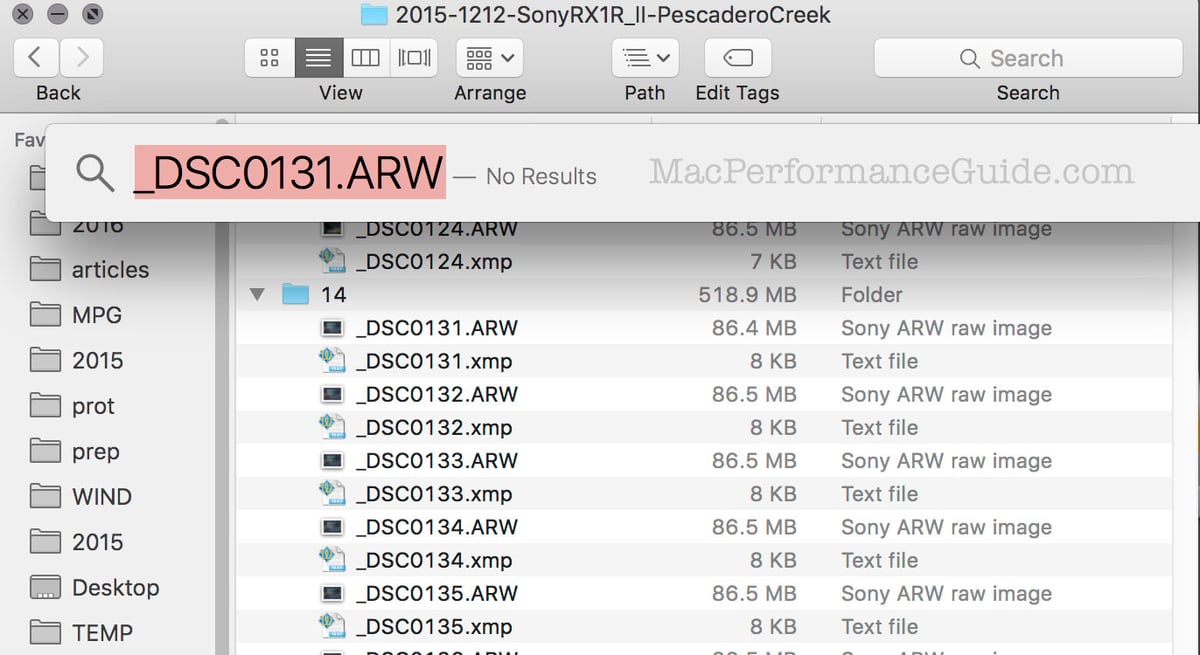
http://macperformanceguide.com/blog/2016/20160102_1616-AppleCoreRot-Spotlight-file-search.html

Score: 4 Votes (Like | Disagree)
133 months ago
I'm so excited about Apple spending time, resources and money to bring this to us that it made me forget all the dysfunctional facets of OSX and itunes not.
Like fixing this cluster truck.
http://macperformanceguide.com/blog/2016/20160102_1616-AppleCoreRot-Spotlight-file-search.html

El Capitan....buggier than an ant farm owners underpants. Never again.
Sweet Jesus, tell me about it. Spotlight used to be amazing.

Fast, a great app launcher before they actually highlighted it can act as such (now often times I need to type more letters just so my demand to launch the app is "obvious" when auto-complete already got me right...)

but most importantly: I remember times when Spotlight would NOT slow my Mac to a crawl.
Does Spotlight really have to re-index my entire system after an ungraceful restart AT FULL SPEED right after login?
Yeah, don't mind me, I'm not trying to get work done here, take your 20 minutes until I can enjoy my 5200rpm platters to full potential again.
Extra kudos for making HDD replacements unnecessarily awkward in the Mac world.
Yeah, that temperature sensor being IN the drive rather than glued to ANY drive I want really is a lovely decision.

Well, at least the drive isn't even more proprietary, soldered and glued. lol Thanks I guess?

Glassed Silver:mac
Agreed. I tested 10.11.2 once it was released because I thought Apple might have fixed worst bugs. First I opened Mail and was "pleasantly" surprised to notice that most of mail was completely missing. Next I tested Spotlight and it has the same bugs as previously! Even deleting Spotlight index in Terminal and creating a new index only helps for a short time, in a day or two it again fails to find files and folders as described in Macperformance.com.

To add insult into injury both Disk Utility or Time Machine are both absolutely perfect and contain no bugs... :mad:

I don't want to sound pessimistic but compared to Snow Leopard or even Mavericks Yosemite and El Capitan are not stable or bug free. :(

Who genius in Apple got the bright idea to add even more features from iOS into OS X? At this rate I suspect using Mac with 10.14 feels like using iOS and everything will decided by Apple, not user.

Is there an intelligible changelog of bugfixes and system inhancements which actually matter available somewhere ?
I have wondered the same thing but unfortunately I havent been able to find such source. Apple Devoloper website ('https://developer.apple.com/library/prerelease/mac/navigation/') has some info but most of it is complete gibberish to non-developers.
Score: 3 Votes (Like | Disagree)
BruceEBonus Avatar
133 months ago
El Capitan....buggier than an ant farm owners underpants. Never again.
Score: 3 Votes (Like | Disagree)
Related Apple News: Iphone Deals | Ecovacs Deebot X11 Omnicyclone | China | Ipad Pro 2024 Specs | Mac