Apple Posts Step-by-Step Guide to Activating 3G Service on iPad Wi-Fi + 3G
With pre-orders for Apple's new iPad Wi-Fi + 3G models being delivered today and Apple retail stores gearing up for a 5:00 PM start to in-store sales, Apple has posted a new support document offering a step-by-step guide to setting up 3G service for the device through AT&T. The information expands upon a feature posted last month on Apple's iPad site and a fact sheet published by AT&T earlier this week.
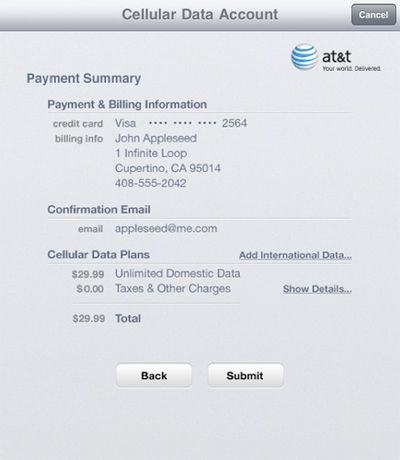
The guide provides a series of screenshots to show users the exact process for activating 3G service on their new iPads, from adding contact information and creating a login account to selecting a data plan and entering payment information.
The process also includes a review of the Terms of Service for AT&T, and upon agreement with the terms, displays a payment summary for the activated plan. International data can also be managed through this screen and must be added before leaving the United States.
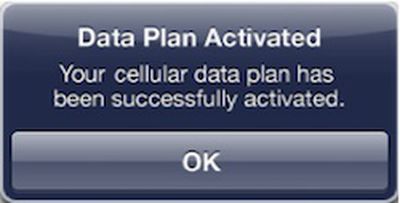
Once completing the signup process, it may take several minutes for 3G service to be activated, but customers can use their iPad as normal on Wi-Fi and will be notified by an alert once the plan is activated.
Popular Stories
Apple today released a new Pride Edition Sport Loop for the Apple Watch. The band features a rainbow design with 11 colors of woven nylon yarns.
The new Pride Edition Sport Loop is available to order now on Apple.com and in the Apple Store app in 40mm, 42mm, and 46mm sizes, and it will be available at Apple Store locations starting later this week. In the U.S., the band costs $49.
There...
Apple is expected to unveil iOS 27 during its WWDC 2026 keynote on June 8, and there are already many rumored features and changes for iPhones.
The first developer beta of iOS 27 will likely be available immediately following the keynote, and a public beta typically follows in July. Following beta testing, the software update should be released to all users with a compatible iPhone in...
iOS 26.5 is expected to be released next week, following more than a month of beta testing. The update is relatively minor, but there are a couple of new features and changes across the operating system that we have recapped below.
iOS 26.5 lays the groundwork for end-to-end encryption for RCS in the Messages app and ads in the Apple Maps app, and it will include a new Pride wallpaper and a...